November 3, 2012 | Chris Lema
The Power of Genesis, The Friendliness of Catalyst
If you love the Catalyst theme for WordPress but have heard great things about Genesis, from StudioPress, you don't have to choose anymore. Now use both.
The Challenge
If you have spent much time in the WordPress community, you've likely heard about StudioPress - the guys that brought you the Genesis Framework. Developers (who don't hand code every theme from scratch) love it because of its clean code and ability to tap into the code via hooks. End users love it because it loads fast, has great SEO-friendly code, and has a wide variety of plugins to enhance it.
If you're a developer who delivers child themes based on Genesis however, you may have experienced customer requests that you wish they'd be able to change on their own. You end up going one of two routes - doing it yourself, or teaching them how to do it. The problem with teaching them is that honestly it's not their business. The problem with doing it yourself is that..well, you're doing it.
Introducing Dynamik
By now you know I use the Catalyst theme on this site, with it's powerful Dynamik child theme. You also know I recommend it for bloggers. But until now I've not really been able to recommend it for Genesis users because they were using Genesis. But that was until now.
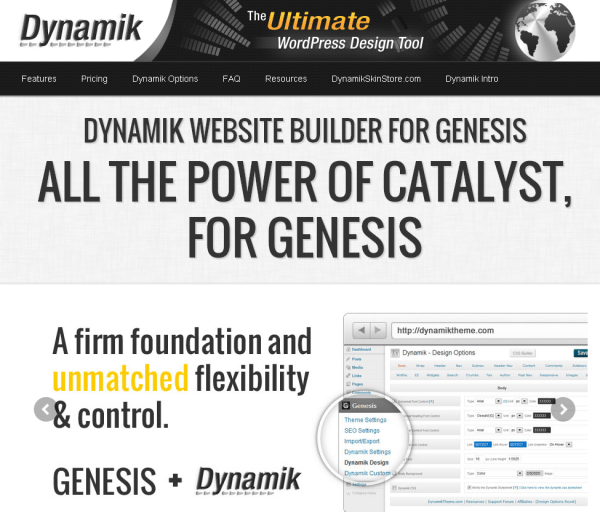
Now you can use the power of Genesis with the friendliness of Catalyst, in the form of Dynamik for Genesis.
A Quick Look
The Real Benefit
The power of bringing these two powerhouses together is that end users have a really easy way to tweak or adjust just about any part of their theme. And I haven't even begun writing about the EZ-Home layout engine - which supports 49 different layouts (without writing a single line of code). I'll have to dig into that in another article.
But when you bring them together, you also can use Dynamik to access all the powerful actions and filters that Genesis makes available. For developers they've never needed anything more than know-how. But for end users, this makes access to those hooks a lot easier.
Buy It Now
You will still need Genesis. So you'll have to head over to StudioPress to buy it. But then for $77 you can add Dynamik for Genesis. While $77 may seem a bit expensive if you've come to enjoy the prices at StudioPress (where $80 can get you Genesis AND a child theme), when you check out the power of Dynamik, you may reconsider.
If you do pick it up, let me know how you like it...
A story. An insight. A bite-sized way to help.
Get every article directly in your inbox every other day.
I won't send you spam. And I won't sell your name. Unsubscribe at any time.
About the Author
Chris Lema has spent twenty-five years in tech leadership, product development, and coaching. He builds AI-powered tools that help experts package what they know, build authority, and create programs people pay for. He writes about AI, leadership, and motivation.