August 21, 2021 | Chris Lema
Four Steps to a 90+ PageSpeed Score
As I was walking upstairs to pick a topic to write about tonight, I couldn't help but think about the conversations that I've been having with folks inside Nexcess and outside, on an almost daily-basis. Everything is about performance. Site speed. So I thought I would share a four step approach to a 90+ PageSpeed...
As I was walking upstairs to pick a topic to write about tonight, I couldn't help but think about the conversations that I've been having with folks inside Nexcess and outside, on an almost daily-basis. Everything is about performance. Site speed. So I thought I would share a four step approach to a 90+ PageSpeed score.
Ready?
https://www.youtube.com/watch?v=q6KW5KisNHY
Step One: Embrace Gutenberg
Some of you will just hate this post simply because I started with Gutenberg. That's ok, come back tomorrow, it will be a whole new topic. But I've already explained how page builders create large DOM object models which result in lower scores.
There's really no way around it. Sure, you can get caching solutions like WP Rocket to make things faster, but you won't get to the root of the issue. The file size of your document, regardless of your design, is going to be larger if you are using a page builder.
So shift to Gutenberg. I like themes like Astra, Kadence or Blocksy. And I love the simple four-block library from GenerateBlocks.
Step Two: Redesign Your Pages
When I migrated everything to Gutenberg, it was an opportunity to redesign many of my pages. So I did. And I looked at every element to decide if it really needed to be on the page.
I'll be honest, there was a bunch of stuff that didn't need to be there. So I killed it.
You can see three of the key pages on my site and how they score.
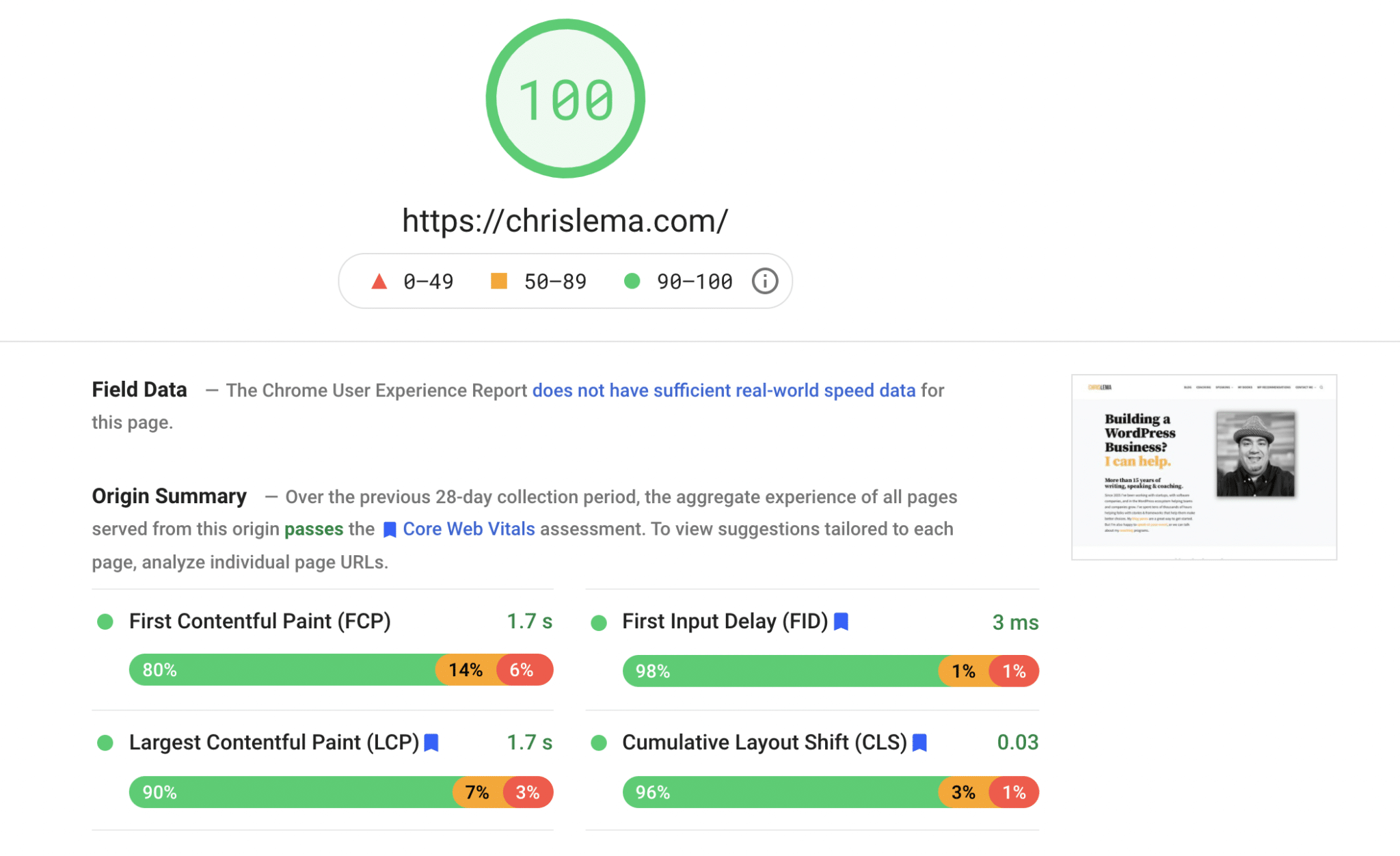
Home Page Score (Desktop: 100 / Mobile: 100)
That's my homepage. Then there's my blog (the next most visited page).
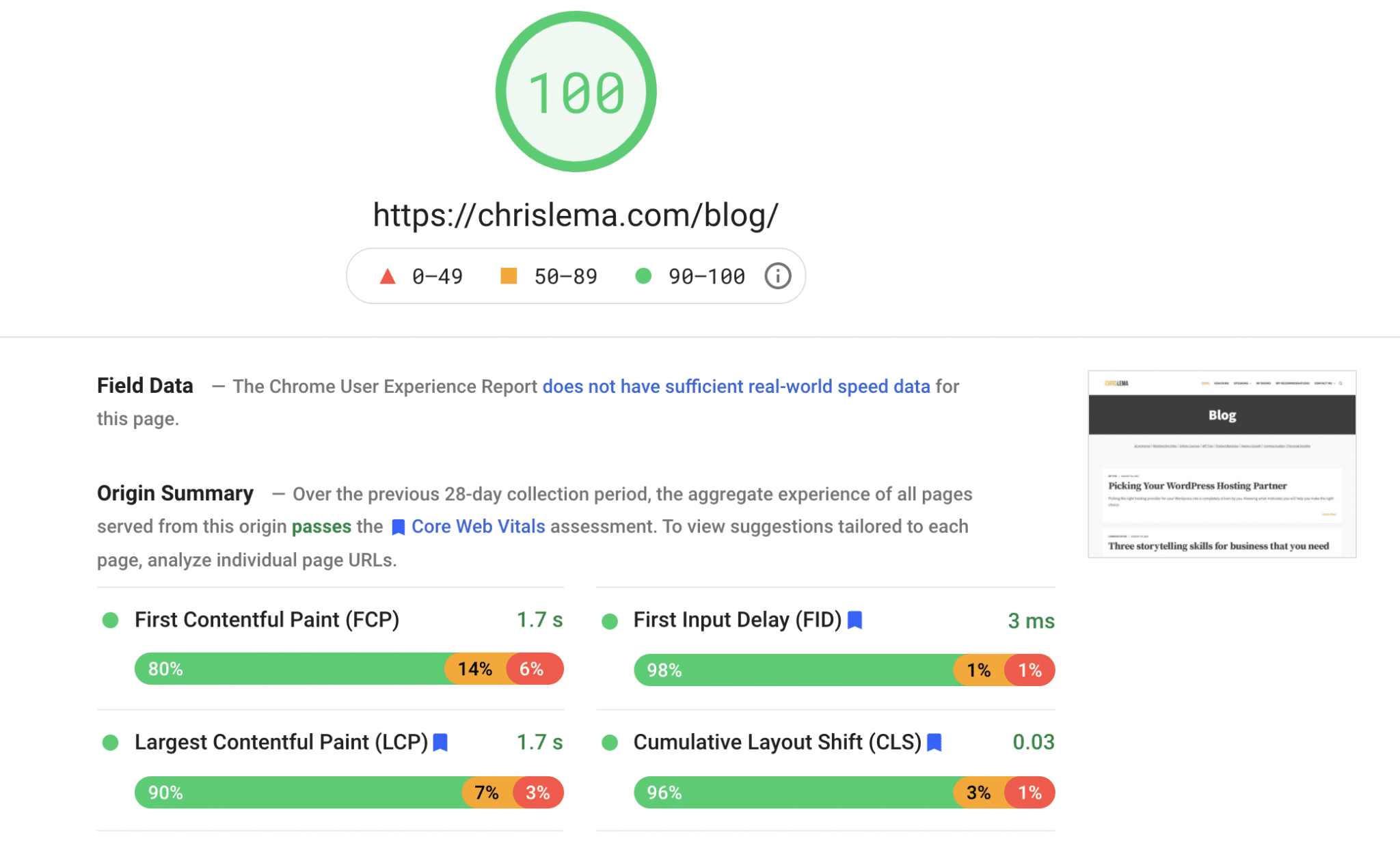
Blog Score (Desktop: 100 / Mobile: 94)
And lastly, there's my speaking page.
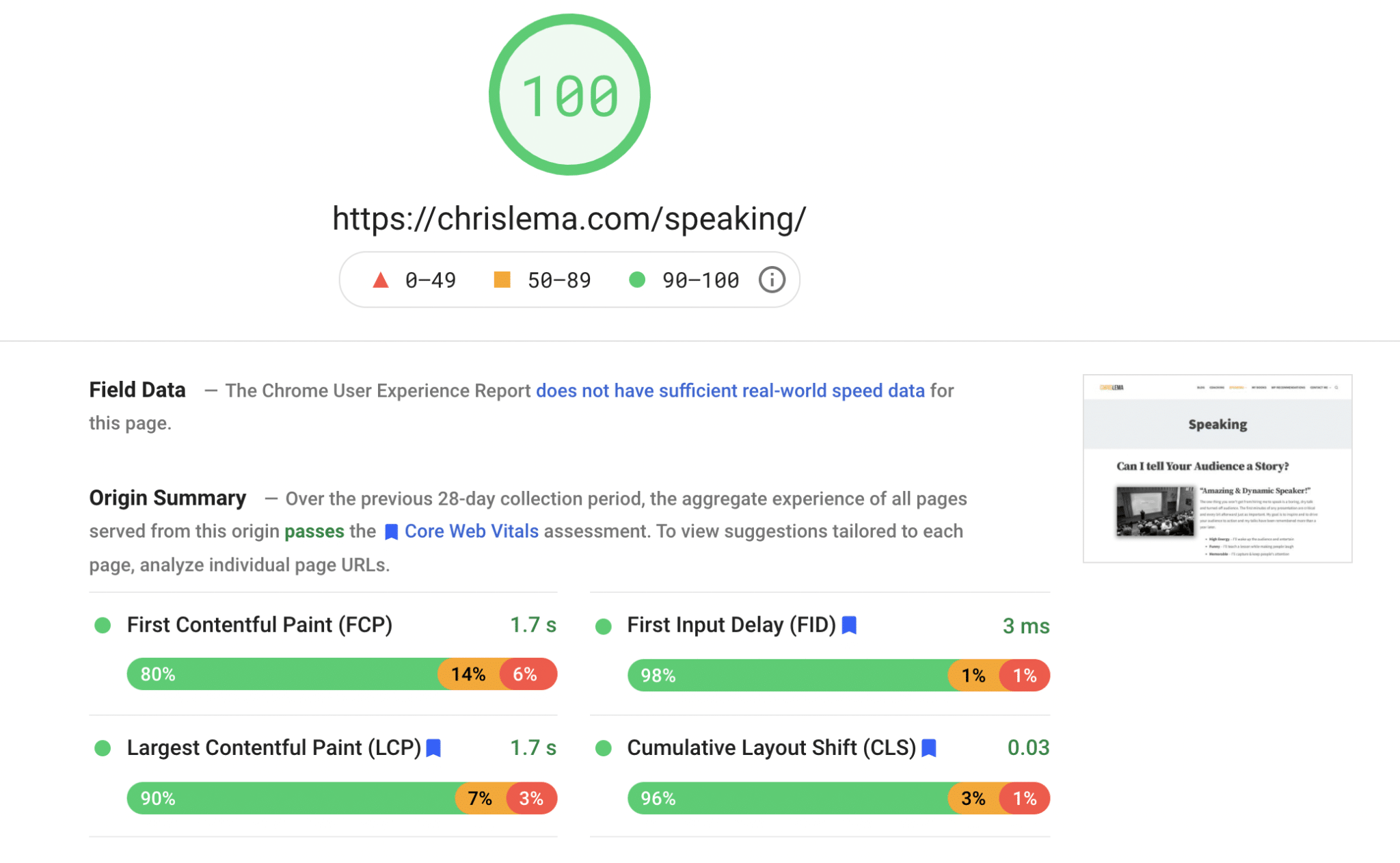
Speaking Score (Desktop: 100 / Mobile: 92)
You've likely heard of the KonMari Method (spark joy). I recommend doing the same thing for every page you're redesigning, if you want that 90+ PageSpeed score.
Step Three: Iterative Experiments
As you start redesigning your site, you'll likely question whether a specific plugin is helping or hurting you. Figuring this out will take some work, as you have to do a lot of before and after score keeping.
(Note: If you're hosted at Nexcess, look out for the new performance monitor that will do a lot of this for you.)
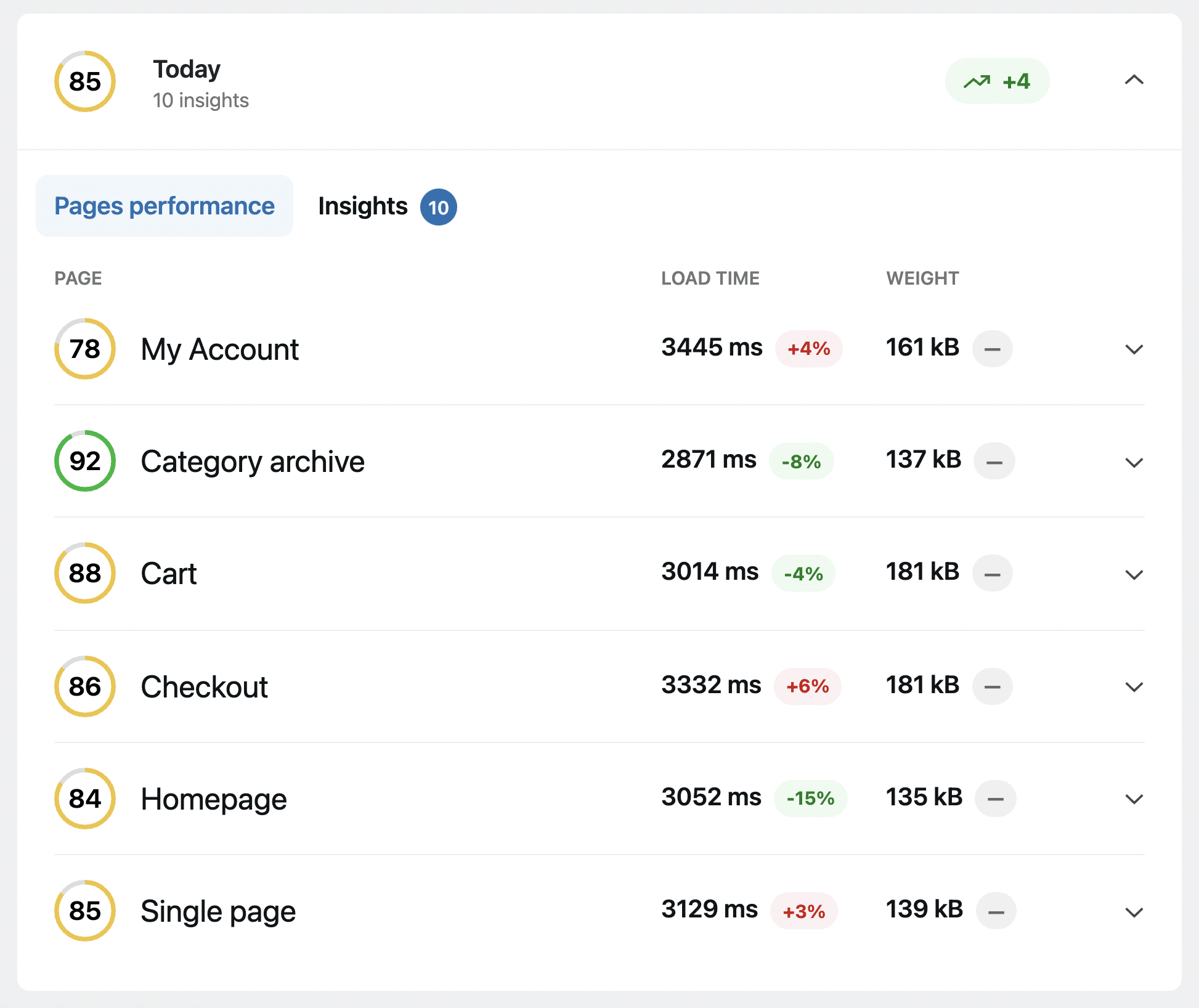
The Nexcess Plugin Performance Monitor will track how changes on your site impact page scores
The trick here is to make one change at a time. Then evaluate what the impact is on your site. That way you can make good decisions about every single plugin (or theme) on your site.
Step Four: Optimize JavaScript, HTML, and Caching
The last step is a ton of little steps. After you make everything as fast as possible - because of the choices you're making on design and with your plugins - then it's time to do the technical work.
A good host will help you with some of this, but some things may require a plugin or a developer. The point is, there's a lot of little things that you do at the end.
I say, "at the end" because if you hide your issues by using caching up front, you'll still have those issues. And they will come back to bite you. So this is why I call this step four.
- Image compression
- Lazy loading of images
- Format conversion (WebP)
- Use a CDN
- HTML, CSS, JavaScript minification
- Critical CSS (and potentially placing it inline)
- Pre-fetching DNS
- Caching
All of those things will tidy up your site.
Here's How I Did It
Want to know how I did it? I combined Nexcess hosting and NitroPack to take care of it all.
Like I mentioned before, WP Rocket is another solution that can help. And I told you already about a new Jetpack solution that helps with Critical CSS.
But there you have it. The four big steps. And you'll have those green scores in no time.
A story. An insight. A bite-sized way to help.
Get every article directly in your inbox every other day.
I won't send you spam. And I won't sell your name. Unsubscribe at any time.
About the Author
Chris Lema has spent twenty-five years in tech leadership, product development, and coaching. He builds AI-powered tools that help experts package what they know, build authority, and create programs people pay for. He writes about AI, leadership, and motivation.